Prevention + proof of remediation

Catch hazards.
Prove you fixed them.

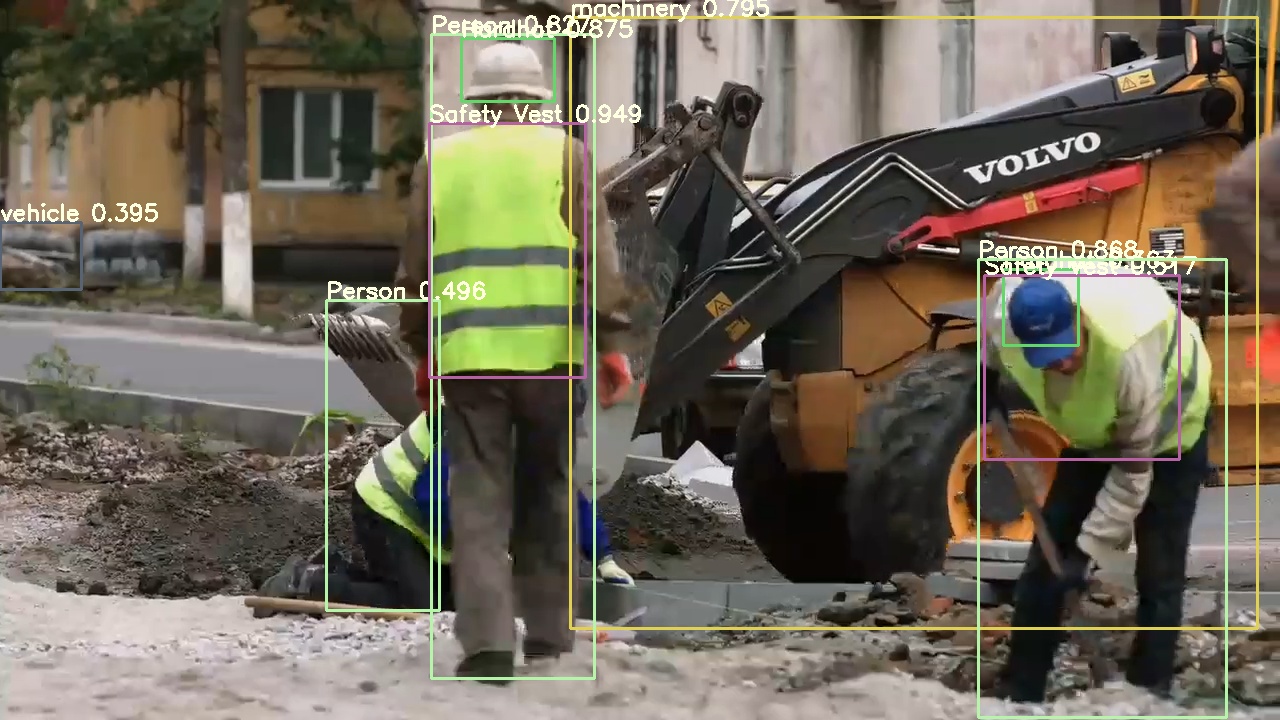
Sentinel watches your existing site cameras for missing PPE, equipment proximity, and exclusion-zone breaches, then records the correction. You end up with a documented find-and-fix history, not another wall of alerts.

Book a demo See how it works

Runs on hardware you control. Your footage never leaves your site.

The paper trail is the product.

A logged violation with no recorded fix isn't an asset. It's a liability. What carriers, GCs, and OSHA actually credit is a program that finds hazards and demonstrably resolves them. Sentinel builds that record automatically, for every flag.

Lower your EMR

A documented safety program is what bends your experience-modification rating down, which is what bends your premiums down.

Win more bids

A clean, evidenced record clears the safety prequalification gates that decide which contractors are even allowed to bid.

Stand on a good-faith program

Retention and reporting were designed with an OSHA defense attorney. A documented correction is your shield. An unfixed, known hazard is the real exposure.

The dashboard

One screen for every open and closed hazard.

Each detection becomes a tracked item: when it was flagged, who closed it out, and how long it took. The headline metric isn't a violation count. It's your Find-Fix Rate, the share of hazards that got resolved.
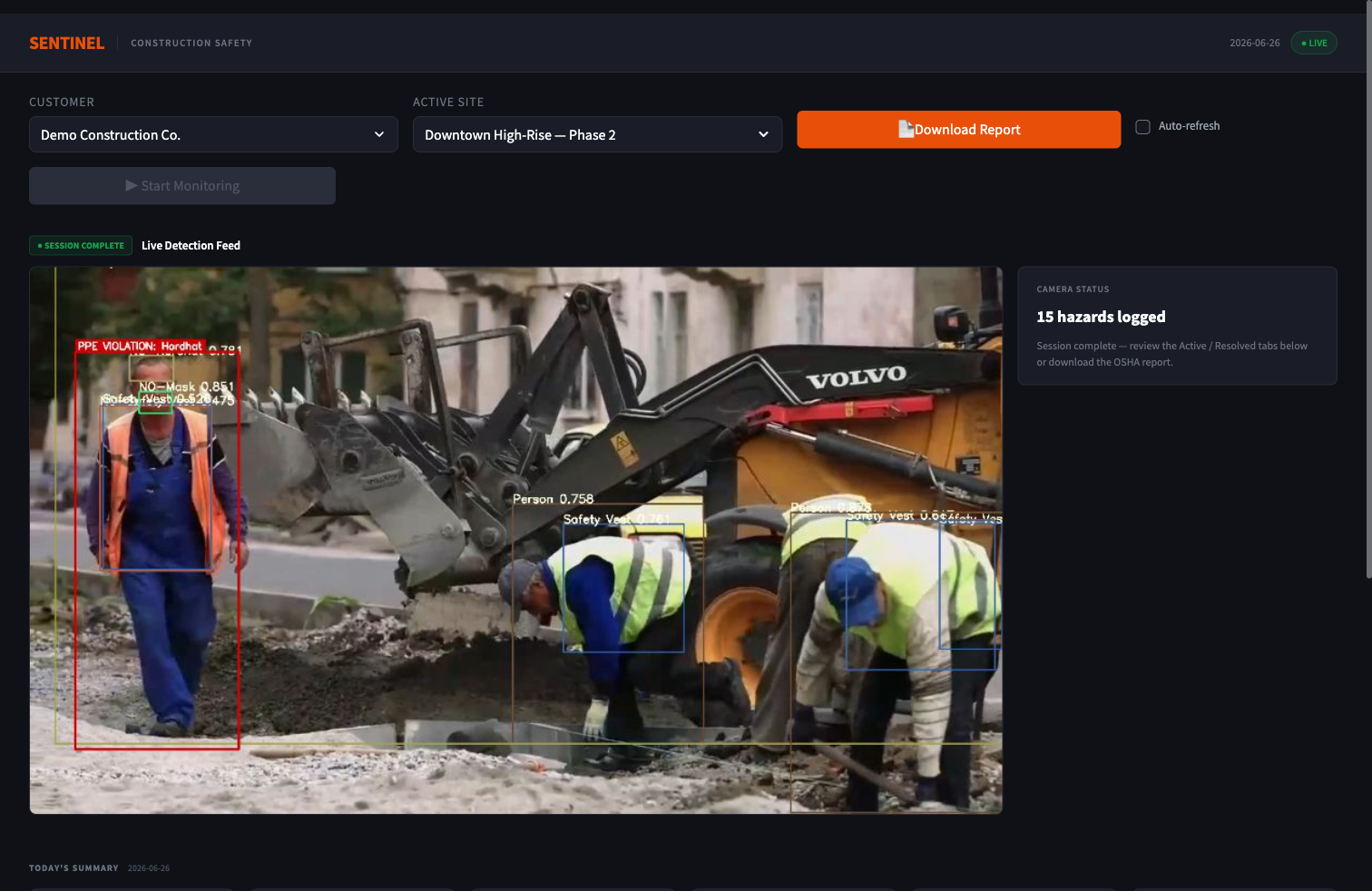
Sentinel dashboard showing live hazard detection on a site camera feed with the find-and-fix log
PPE, proximity & zones

Hardhat and vest checks, worker-to-equipment distance, and exclusion-zone breaches.

Correction tracking

Every hazard carries a status, a timestamp, and a measured time-to-fix.

Confidential PDF export

One click produces an OSHA-referenced report marked Business Confidential.
From camera to closed record.

Four steps, running on the cameras you already have, with no new hardware to install.

Step 1

Connect your cameras

Point Sentinel at your existing IP camera feeds. Processing stays on-site; footage doesn't go to our cloud.

Step 2

Flag the hazard

Computer vision catches missing PPE, risky equipment proximity, and zone breaches, capturing the moment with context.

Step 3

Record the fix

Your team closes the item out. Sentinel logs who resolved it and the time-to-fix, turning a flag into proof.

Step 4

Export the record

Generate a confidential, OSHA-referenced PDF of the full find-and-fix history whenever a carrier or GC asks.

What a flagged hazard looks like.

Each detection opens an item the field team can close. Here are two real categories, and how they move from flagged to corrected.

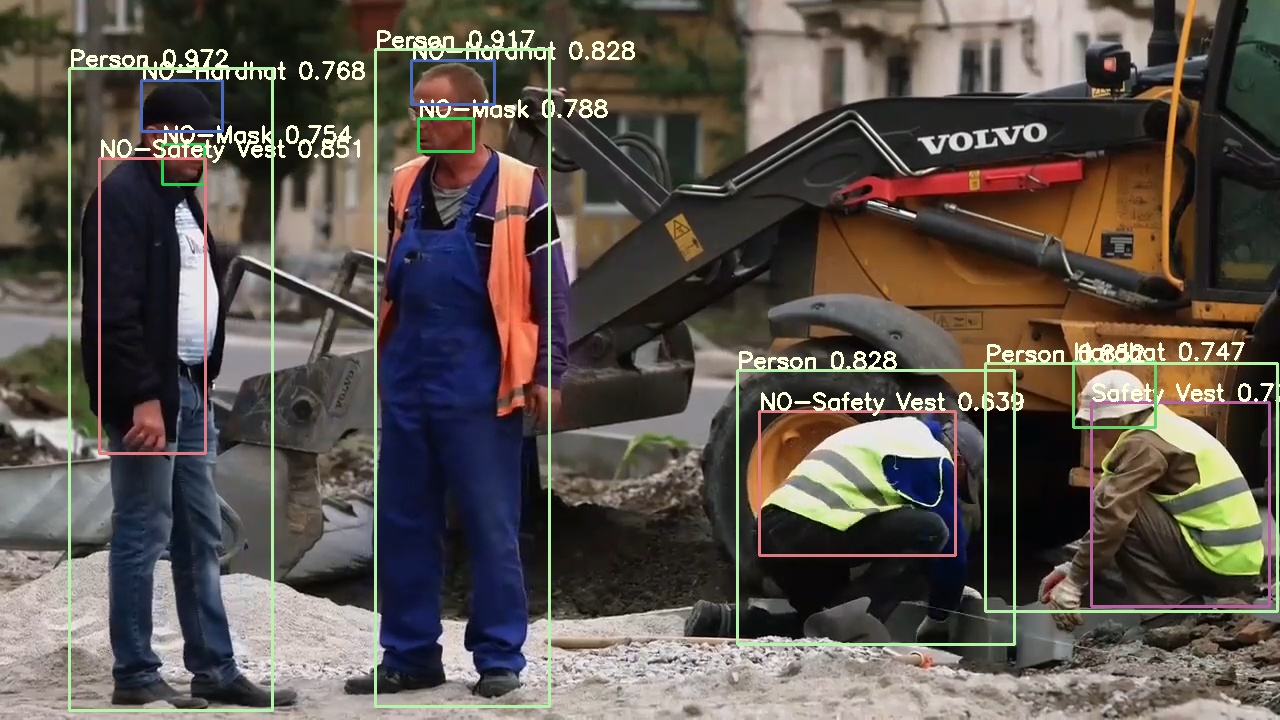
Worker flagged for a missing hardhat while vested workers are correctly cleared
Flagged → Corrected

Missing PPE: hardhat & vest

A worker is flagged the moment the gap appears, here a missing hardhat, while compliant workers nearby are left clear. The item is logged with a timestamp and stays open until the fix is recorded.

References OSHA 29 CFR 1926.100 / 1926.102

Worker flagged for proximity to an active excavator
Flagged → Corrected

Proximity: worker near heavy equipment

A worker inside the exclusion radius of an active excavator is flagged in the moment, giving the crew a chance to clear and the supervisor a record to close.

References OSHA 29 CFR 1926.600(a)(3)

Footage stays on-site

Video is processed on infrastructure you control and never leaves your network.

No new hardware

Works with the IP cameras already mounted on your site, so there's nothing to procure.

Live in under 2 hours

Connect feeds, set your zones, and start building the record the same afternoon.

Confidential by design

Reports are marked Business Confidential, with retention defaults shaped by OSHA defense counsel.

Edan Barrios

Who's building this

Edan Barrios

UC Berkeley EECS ’26 LinkedIn

Sentinel started as a computer vision research project at Berkeley. It became a company after I watched safety managers spend their days proving, by hand and from hours of footage, that hazards on their sites actually got handled. That proof is the thing the industry runs on, so I set out to generate it automatically.

See it running on your jobsite.

A 30-minute call: we'll walk the dashboard, the find-and-fix record, and the confidential report, then talk through what a pilot looks like on your end.

Book a demo

No commitment, and nothing to set up before the call.